Install HateMeter Chrome Extension
Follow these simple steps to install the extension in your Chrome browser.
Download ExtensionChrome Extensions Page:
Open this in your browser:
chrome://extensions/
Step 1 — Download Extension
Click the download button above and extract the ZIP file.
Step 2 — Open Chrome Extensions
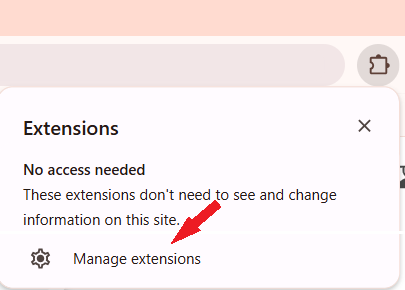
Open Chrome and go to chrome://extensions/
Step 3 — Enable Developer Mode
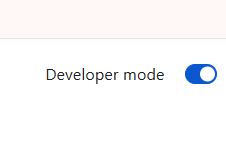
Turn ON the Developer Mode toggle in the top right corner.
Step 4 — Load Extension
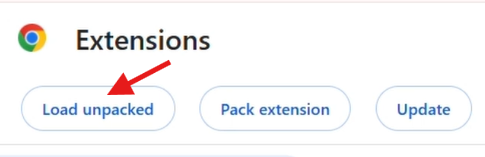
Click Load Unpacked and select the extracted extension folder.
Step 5 — Done
Your HateMeter extension is now installed and ready to use.